Don’t worry, your courses are there! In December 2025 we launched a new and improved Dashboard.
FIRST, A NOTE:
Looking for older courses?
Courses from 2017 and later (plus a few from 2016) are still available inside the Academy. Anything earlier has been moved to our Courses Archive, where you can access them on a pay-what-you-want basis... even for free!
To see everything we've ever taught under the Expert Media brand, check out our Complete Course Catalog. It’s the easiest way to find what you’re looking for.
To find your courses
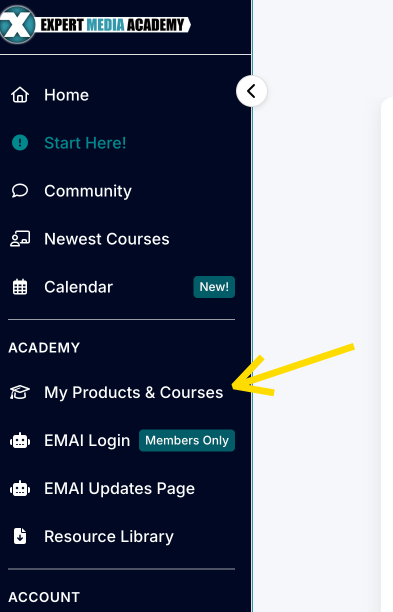
Look at the left-hand menu and click My Products & Courses under ACADEMY.
This will skip everything on your Dashboard above your courses and take you straight to them.
Courses appear in order of release date, newest first.
If you have a lot of courses, you'll see page numbers at the bottom. Simply click through the pages.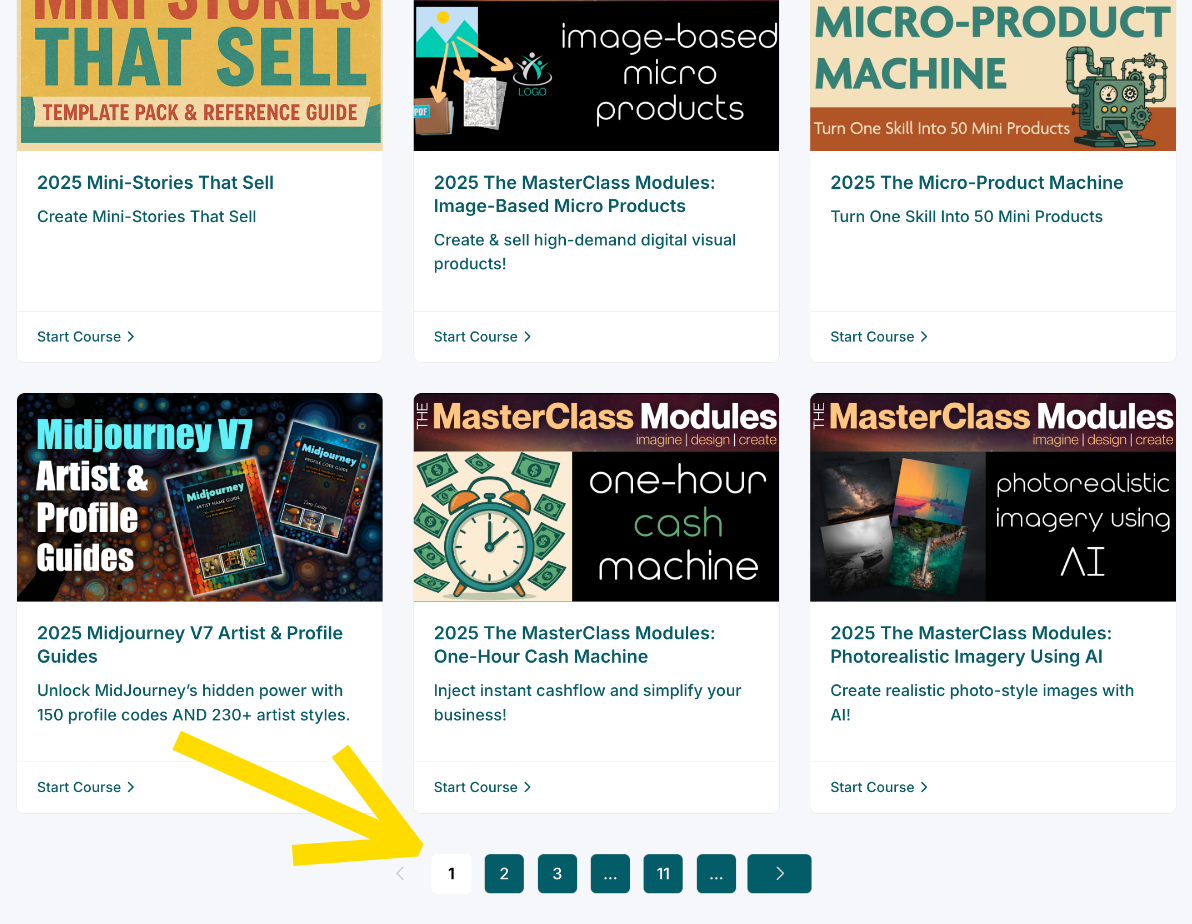
***

Was this article helpful?
That’s Great!
Thank you for your feedback
Sorry! We couldn't be helpful
Thank you for your feedback
Feedback sent
We appreciate your effort and will try to fix the article