All our LIVE training calls are hosted on Zoom, and you can find the Zoom links inside the course you purchased within the Member's Area.
Please note that we ask everyone to go through these 4 very simple steps so you are comfortable finding the replays and navigating the system with ease.
This platform is actually simpler to use than most course systems we have worked with, and we have experience with ALL of them.
Getting familiar with these basic steps will help set you up for success, especially since much of the training includes software-based lessons.
Taking a few moments here will make the rest of the experience much smoother and more enjoyable.
Step-by-Step Instructions
*STEP 1*
Go to ExpertMediaAcademy.com and click to Sign In.

*STEP 2*
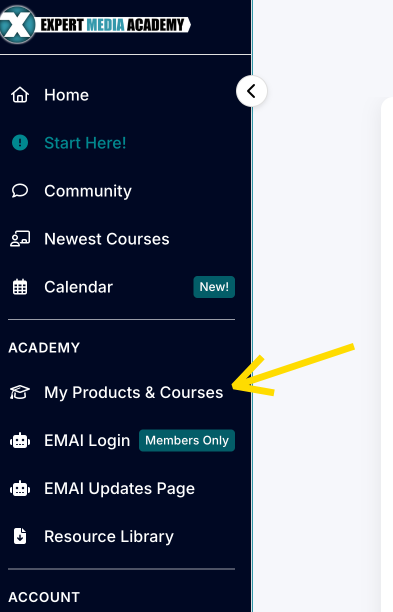
Simply SCROLL DOWN or click My Courses & Products in the left-hand menu.
Then click the course you want.
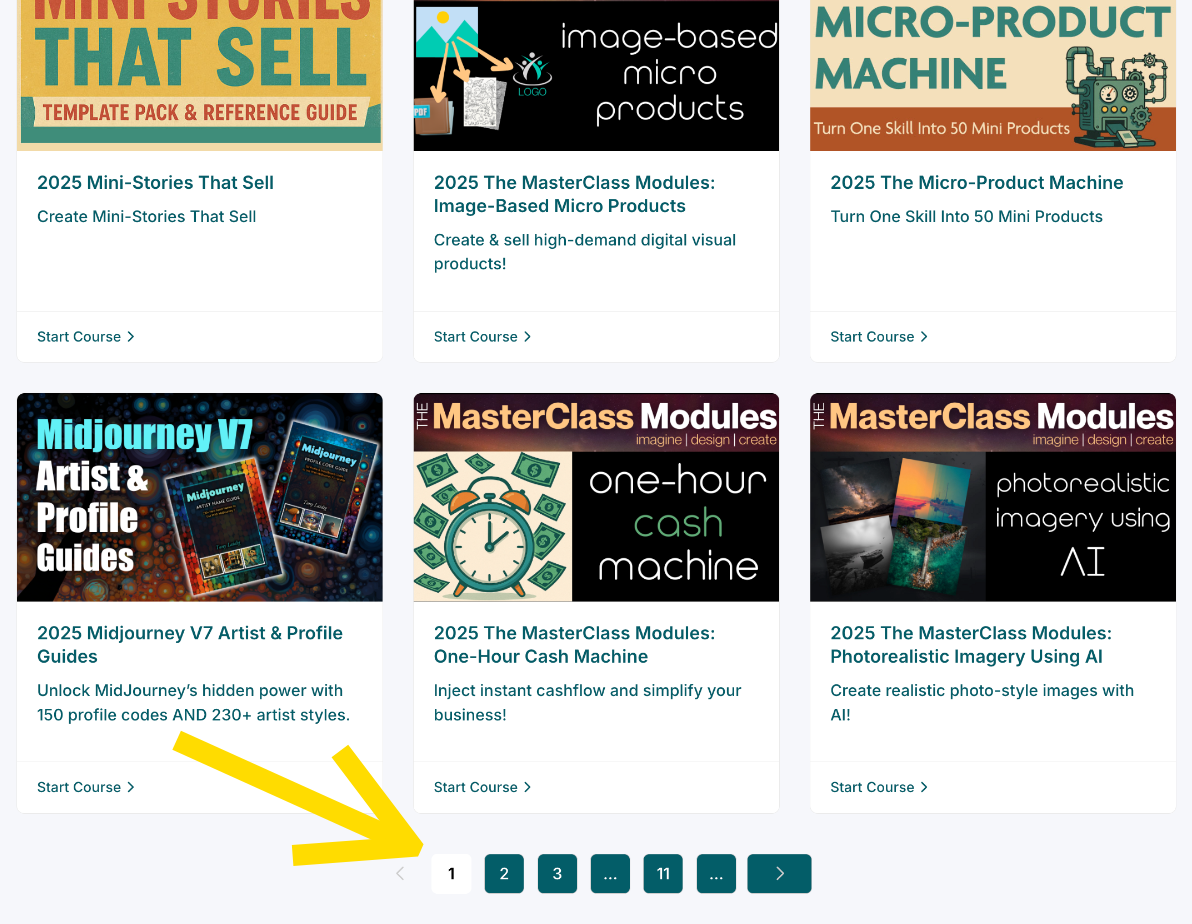
IF you don't see the course, scroll down and click the page numbers.
*STEP 3*
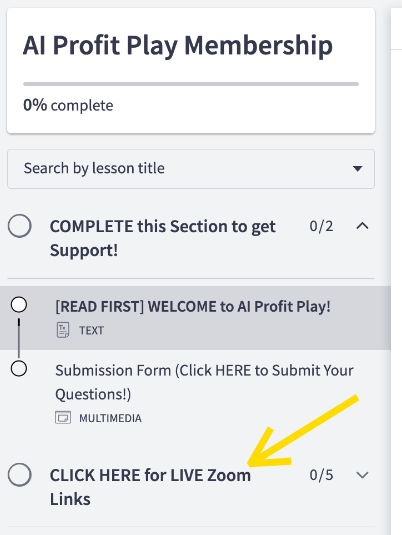
Once you open the course, look for the section labeled Click Here for Live Zoom Links and CLICK it to open. The individual LIVE call pages will appear once it has been clicked, as the section does not open automatically.
*STEP 3A*
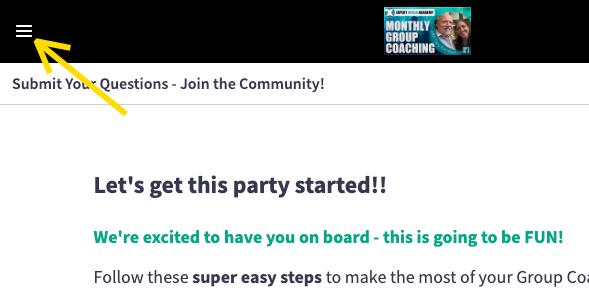
IF you do NOT see the modules on the left-hand side, Click the menu icon (3 bars) in the upper left-hand corner to expand it:
*STEP 4*
Click JOIN WEBINAR IN ZOOM or JOIN MEETING IN ZOOM a few minutes before class starts and follow the instructions on your screen.
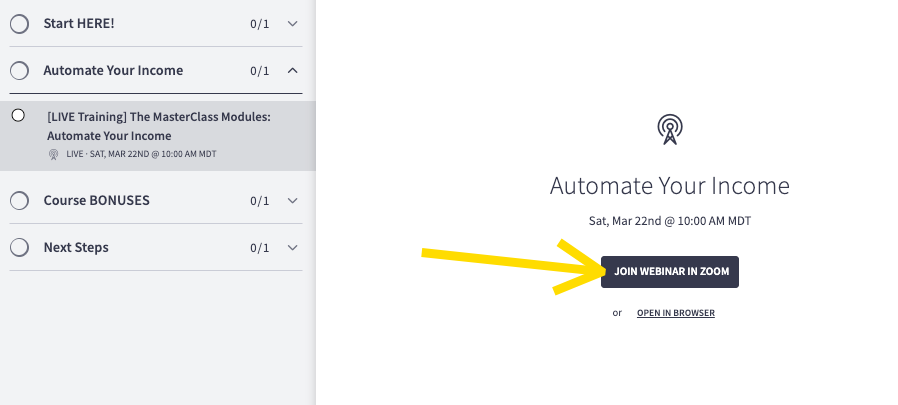
That's it, you're in!
If you have any trouble, let us know. We're happy to help!
Please note that our support team often teaches classes as well. If you reach out right as a class is starting or after it has already begun, responses may not be available until the class has ended or the following day.
***

Was this article helpful?
That’s Great!
Thank you for your feedback
Sorry! We couldn't be helpful
Thank you for your feedback
Feedback sent
We appreciate your effort and will try to fix the article