Let’s walk through this step by step.
First, make sure you have an active paid subscription to EMAI. If your account is inactive, you will not be able to log in.
Don't have a subscription? Click here to see what you're missing and sign up!
***
If you have NOT set your password yet (mainly for migrated users):
You should have been emailed a "thank-you" page to set your password. (Check your SPAM, Promotions and other email filters for this in the subject line: "[EMAI]")
If you did not get these emails, please contact support so we can resend it.
If you already set your password OR are a new subscriber:
Try these steps:
- Enter your email in all lowercase. (NO CAPITAL LETTERS AT ALL. :) ) This is the most common issue.
- Double-check your password. Passwords are case-sensitive and must include:
- At least 8 characters
- 1 number
- 1 symbol
- Reset your password if needed. Click “Forgot password”
- Check your email for the reset link:
- Look in Inbox, Spam, Promotions, and all folders.
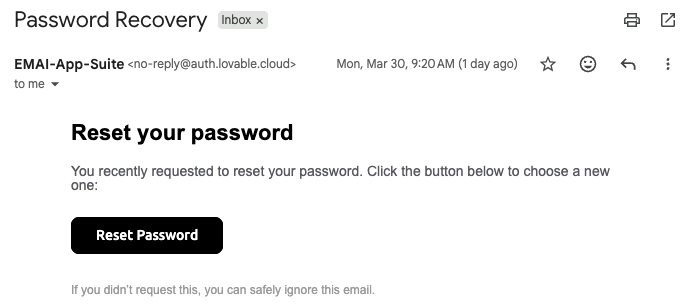
- The email will have this subject line (search for it) - "Password Recovery".
The email will look like this:
If you still can’t log in after following these steps, please click here to contact support and we’ll help you directly.
***

Was this article helpful?
That’s Great!
Thank you for your feedback
Sorry! We couldn't be helpful
Thank you for your feedback
Feedback sent
We appreciate your effort and will try to fix the article