First, thank you for wanting to leave us a review! We appreciate your feedback.
Please follow the simple steps below to leave a review on our public Facebook Page:
STEP 1
Login to your Facebook account.
STEP 2
Go to https://www.facebook.com/expertmediaacademy
STEP 3
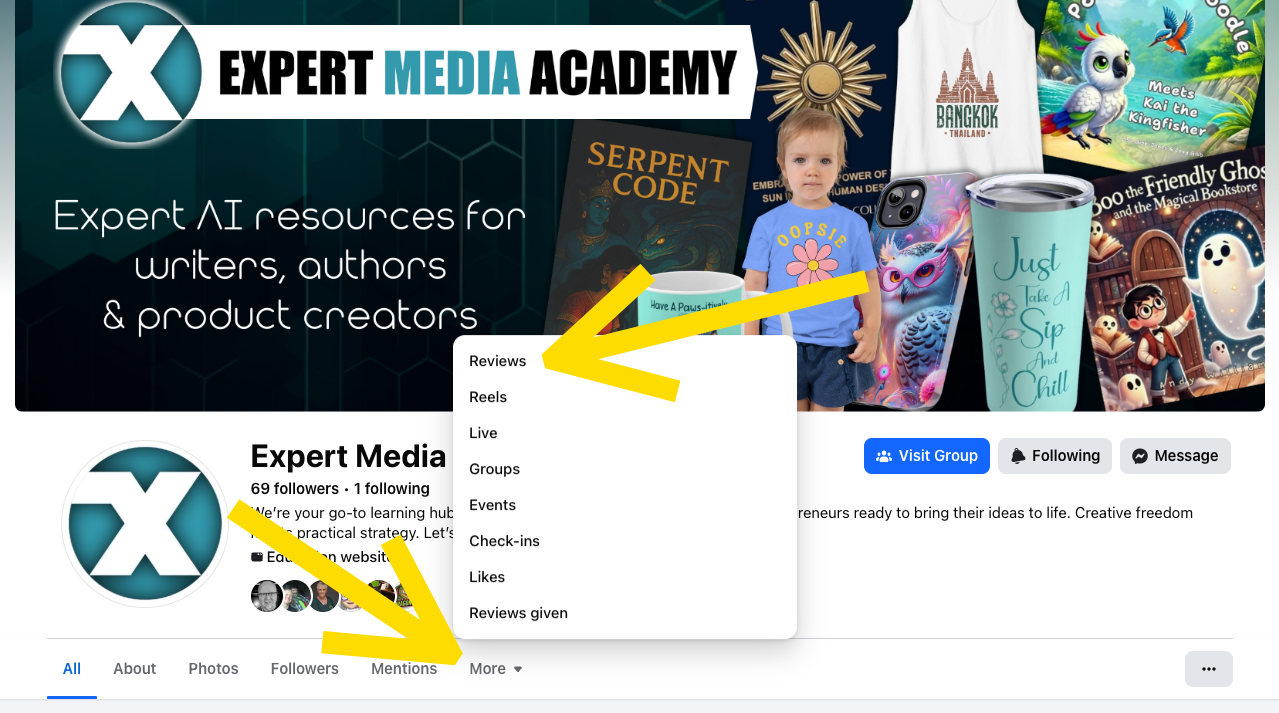
Click More, then click Reviews.
STEP 4
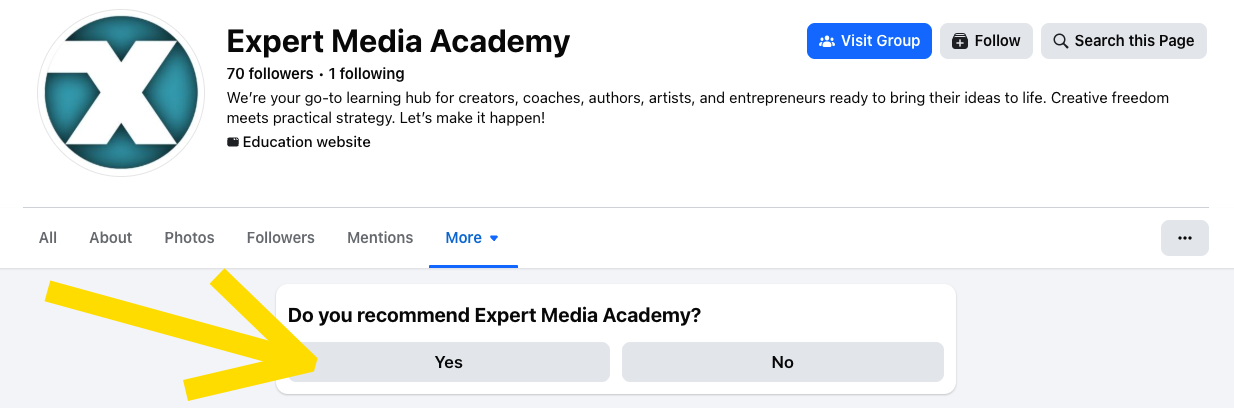
Click Yes.
STEP 5
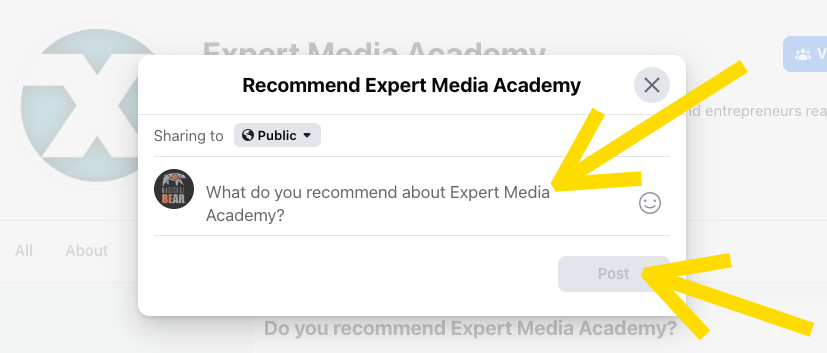
Write your review and click Post.
That's it!
***

Was this article helpful?
That’s Great!
Thank you for your feedback
Sorry! We couldn't be helpful
Thank you for your feedback
Feedback sent
We appreciate your effort and will try to fix the article