We understand, sometimes you need to pause your learning journey, and that’s okay.
If you’d like to cancel your subscription to these programs, just follow these steps:
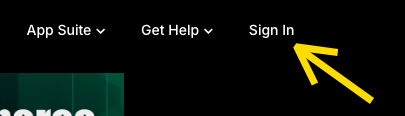
Go to ExpertMediaAcademy.com and click Sign In.
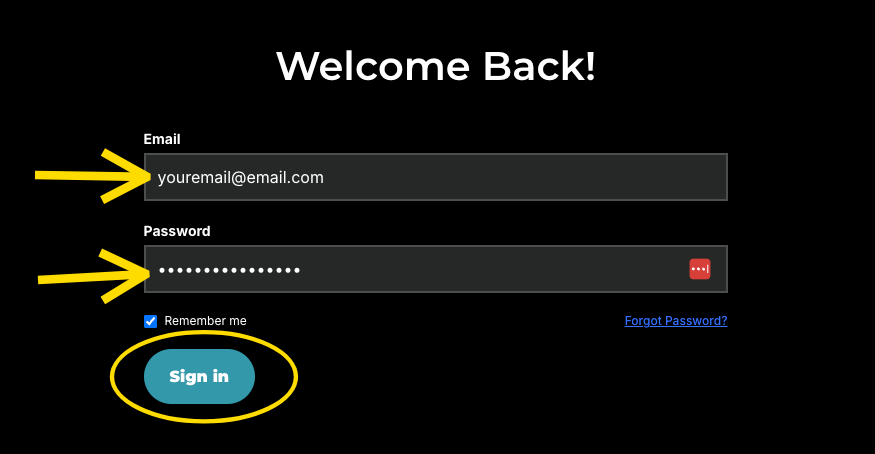
Enter your email and password, then click Sign In.
Note: If you're prompted to enter a verification code, check your email, enter the code, and click Verify.
If you're not prompted, it means you're already logged in. Just continue to the next step.
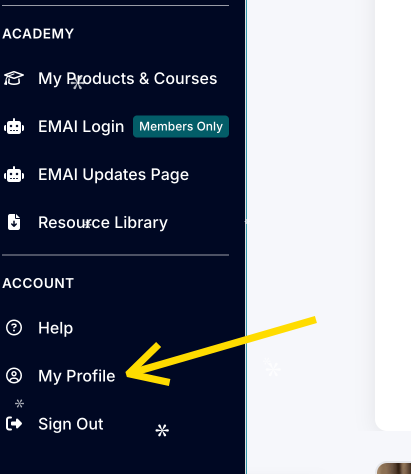
Scroll down the left-side menu under My Account and click My Profile.
Click Billing.
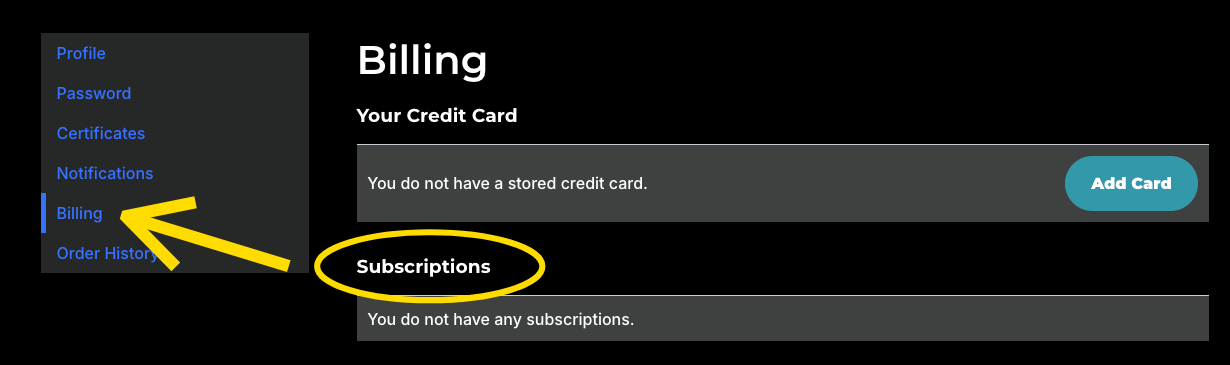
Under Subscriptions, locate the subscription you'd like to cancel and click Cancel.
IMPORTANT: When you cancel, you will automatically lose access to all coaching content, including call recordings and replays, once your current billing cycle ends.
Let us know if you have any questions before completing your cancellation.
***

Was this article helpful?
That’s Great!
Thank you for your feedback
Sorry! We couldn't be helpful
Thank you for your feedback
Feedback sent
We appreciate your effort and will try to fix the article